
Grandstream Router Price in Bangladesh
Grandstream router prices in BD at Tech Land BD range from BDT ৳7000 to ৳12500, depending on the model, network ports, and features. Explore the Grandstream GWN7052 and GWN7052F dual-band Gigabit routers with VPN support at Tech Land BD and choose the right one for your network.
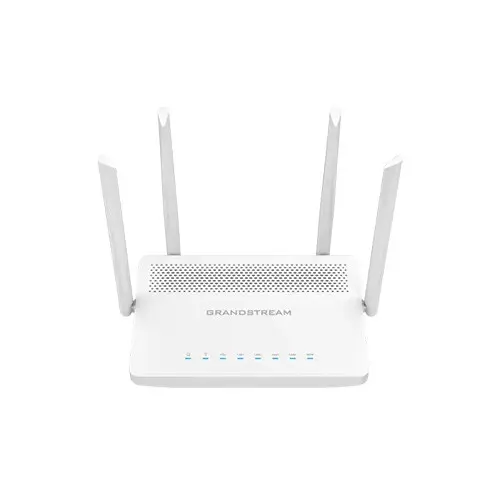
Grandstream GWN7052F 1270Mbps Dual Band Gigabit WiFi Router
- Antennas 4 Individual External
- Up to 1.27Gbps Aggregate Wireless
- Dual-band 2x2:2 MU-MIMO
- Ports: 1x Gigabit SFP WAN
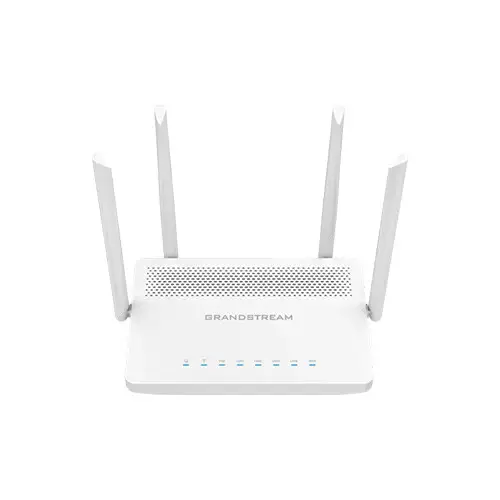
Grandstream GWN7052 1270Mbps Dual Band Gigabit WiFi Router
- Dual-band WiFi up to 1270Mbps
- 4 external 5.0dBi antennas
- 1 WAN + 4 LAN Gigabit ports
- Data Rate 300Mbps IPSec
Showing 2 out of 2 products
Grandstream Router Price in Bangladesh
A stable network is vital for daily work. It helps teams stay online and connected. It also supports calls, meetings, and file sharing. A good router can make network tasks easier.
Grandstream makes network devices for home and business use. Its routers offer wired and wireless network options. Some models also support VPN connections. These features can help users manage their network needs.
The Grandstream router price in BD depends on the model and features. Wi-Fi speed, network ports, and VPN support can affect the price. At Tech Land BD, you can compare Grandstream router models and their key features. Check the latest product prices before you buy.
Grandstream Router Models
Grandstream routers for different network needs. The current category includes two models. These are the GWN7052 and GWN7052F. Both support dual-band Wi-Fi and Gigabit network links.
Grandstream GWN7052 Dual-Band Gigabit Wi-Fi Router
The Grandstream GWN7052 is a dual-band Wi-Fi router. It offers combined wireless speeds of up to 1270Mbps. It has four external 5.0dBi antennas. These antennas support both Wi-Fi bands.
The router has one Gigabit WAN port. It also has four Gigabit LAN ports. This setup helps connect wired devices. You can use it for PCs, switches, and other network devices.
The GWN7052 also supports IPSec VPN. Its listed VPN data rate is up to 300Mbps. This can help users who need a VPN link. Check the full product details before you buy.
Grandstream GWN7052F Dual-Band Gigabit Wi-Fi Router
The Grandstream GWN7052F is another dual-band router. It offers up to 1.27Gbps combined wireless speed. It has four external antennas. Each band uses two antennas.
This model has one Gigabit SFP WAN port. It also has four configurable Gigabit Ethernet ports. These ports can work as WAN or LAN ports. This gives users more network setup options.
The GWN7052F also supports IPSec VPN. Its listed VPN performance is up to 300Mbps. It can suit users who need flexible network links. Check the SFP and Ethernet port details first.
Key Features of Grandstream Routers
A router does more than share internet access. It can also help manage network traffic. Some models offer extra tools for business use. Here are key features to check.
Dual-Band Wi-Fi
Dual-band routers use two Wi-Fi bands. These are 2.4GHz and 5GHz. The 2.4GHz band can cover more distance. The 5GHz band can offer faster links nearby.
Both Grandstream GWN7052 models support dual-band Wi-Fi. Their combined wireless speed is up to 1.27Gbps. Actual speed depends on many factors. Your device and network setup also matter.
Gigabit Ethernet Ports
Gigabit ports support fast wired links. They can connect PCs, switches, and other devices. They can also help with local file transfers.
Check the number of WAN and LAN ports. Also, check if the ports are configurable. The GWN7052 has one WAN and four LAN ports. The GWN7052F has one SFP WAN port and four configurable Gigabit Ethernet ports.
VPN Support
VPN support can help secure remote network links. It can also help users connect to private networks. Both listed models support IPSec VPN.
VPN speed can vary by model. The GWN7052 and GWN7052F list up to 300Mbps IPSec VPN performance. Check the full VPN details for your use. Also, review your network security needs.
External Antennas
Antennas help send and receive Wi-Fi signals. Both listed models have four external antennas. Each band uses two antennas.
Signal quality depends on the room and setup. Walls and other objects can affect coverage. Place the router in an open spot. Check the product details for antenna specifications.
Flexible Network Setup
A router should fit your network plan. Check the WAN and LAN ports first. Also, review the port speed and type.
The GWN7052F includes an SFP WAN port. This can suit a setup that needs an SFP link. Make sure your network equipment supports it. Ask your network provider or IT team if unsure.
How to Choose the Right Grandstream Router
The right router depends on your network needs. Think about your devices and internet plan. Also, check your office or home layout.
Check Your Internet Speed
Start with your current internet plan. Check the speed you get from your provider. Then compare it with the router's network ports.
A Gigabit port can support a wired link up to 1Gbps. But your real internet speed may be lower. Your plan and network setup affect the result.
Count Your Wired Devices
Make a list of devices that need cables. These may include PCs and network switches. Some office devices also need wired links.
Check how many LAN ports you need. You may need an extra network switch. Compare the port layout of each model. This can help avoid connection limits.
Check Your Wi-Fi Needs
Think about how many devices use Wi-Fi. Phones, laptops, and tablets may share one network. Video calls and online work also use bandwidth.
Both listed models support dual-band Wi-Fi. Compare their wireless features before you choose. Your device support can affect the final result.
Review VPN Requirements
Some users need a VPN for work. It can help connect remote users to a network. It can also support secure data links.
Check the VPN type and speed. Review the number of supported tunnels if listed. Make sure the router meets your network needs.
Check WAN and SFP Ports
WAN ports connect the router to the internet source. SFP ports use compatible network modules. These ports can support different network setups.
The GWN7052F has a Gigabit SFP WAN port. Check if your network uses an SFP connection. Do not choose it without checking compatibility.
Set Your Budget
Set a budget before comparing routers. Then check the features within that range. Do not pay for features you do not need.
Compare the GWN7052 and GWN7052F carefully. Look at their ports and network features. Choose the model that fits your setup.
Grandstream Router for Home and Office Networks
Grandstream routers can suit different network setups. Your needs should guide your choice.
Home Networks
A home network may connect many devices. These include phones, laptops, TVs, and PCs. A dual-band router can support wireless access. Gigabit ports can connect wired devices.
Check your home size and device count. Also, check the Wi-Fi signal in each room. Place the router in a central, open spot.
Small Offices
Small offices need stable network links. Staff may use PCs and laptops. They may also use IP phones and printers.
Check the number of wired ports. Review VPN support and network features. Make sure the router fits your office setup. You may need extra network devices as well.
Remote Work
Remote work needs a steady connection. Video calls and shared files use network resources. A VPN may also be part of the setup.
Check the router's VPN support and speed. Also, review your office network needs. Ask your IT team to confirm compatibility.
Grandstream Router Price List in Bangladesh 2026
Product Price Grandstream GWN7052F 1270Mbps Dual Band Gigabit WiFi Router ৳12500 Grandstream GWN7052 1270Mbps Dual Band Gigabit WiFi Router ৳7000
Why Buy a Grandstream Router from Tech Land BD?
Choosing the right router is important for your network. You need the right speed, ports, and features. Tech Land BD helps you compare Grandstream router models in one place.
Explore the available GWN7052 and GWN7052F models. Compare their Wi-Fi speed, WAN ports, and VPN support. Check the product details before you make a choice. This helps you find a router that fits your home or office network.
Does the Grandstream GWN7052 support dual-band Wi-Fi?
Yes, it supports 2.4GHz and 5GHz Wi-Fi. Its combined wireless speed is up to 1270Mbps. Actual speed depends on your network and devices.
What is the difference between GWN7052 and GWN7052F?
The main difference is the WAN port setup. The GWN7052 has a Gigabit WAN port. The GWN7052F has a Gigabit SFP WAN port. The GWN7052F also has configurable Ethernet ports.
Do Grandstream routers support VPN?
The listed GWN7052 and GWN7052F support IPSec VPN. Both list up to 300Mbps VPN performance. Check the product details for full support information.
How many LAN ports does the GWN7052 have?
The GWN7052 has four Gigabit LAN ports. It also has one Gigabit WAN port. You can use the LAN ports for wired devices.
What is an SFP WAN port?
An SFP WAN port accepts a compatible SFP module. It can support certain network connection setups. Check your network equipment before using this port.
Is a Grandstream router suitable for office use?
It can suit some home and office networks. Check the number of users and devices first. Also, review the ports, Wi-Fi, and VPN features. Choose a model that meets your network needs.
Can I connect a network switch to a Grandstream router?
Yes, you can connect a compatible network switch. Use an available Ethernet port. Check the port speed and network setup first.
Where can I buy a Grandstream router in Bangladesh?
You can compare Grandstream router models at Tech Land BD. Check their prices and product details. Choose a model that fits your network needs.
